Contents
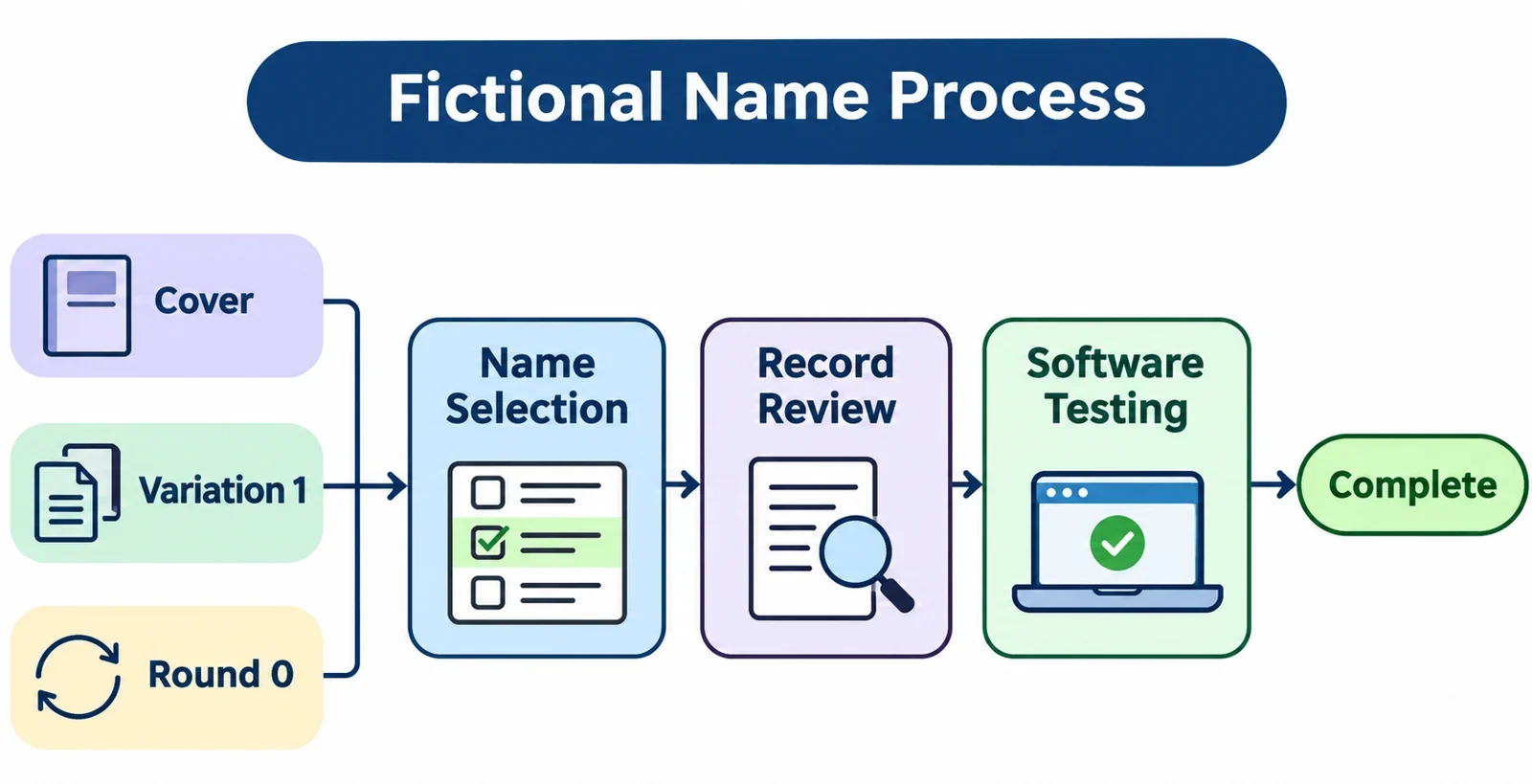
To create fictional customer names for software testing, start with the fields and behaviors you need to check, then generate or write a small set of candidate names. Add cases for punctuation, accents, different name structures, length limits, and duplicate names. Give each customer a separate test identifier so that a repeated name does not become a repeated record.
Review the candidates before use, especially if they will appear in a public demonstration. A fictional combination can still match a real person’s name, and a search cannot establish that nobody shares it. The examples below are illustrative; they are not verified generator output.
Choose the records your test needs
Begin with the form, import process, or customer list you want to test. Note each name field it asks for, whether the field is required, and where the resulting name appears. A checkout form, a customer search result, and an exported record may each present the same information differently.
Write down the questions your sample should answer. Can the application accept a single name? Can a person enter more than one family-name component? Does the interface preserve the order someone entered? If the form separates names into fields, decide how you will enter each example without assuming that every name fits the same pattern.
Choose a manageable number of records for each behavior. For a first pass, one record per name pattern and two records sharing a name can make the results easy to inspect. Add more records if you need to compare sorting or search results across a larger list. The right count depends on the task, so keep a note of what each record is meant to exercise.
Decide on an identifier for each customer before entering names. For example, use TEST-001 and TEST-002 for two separate records, even when their displayed names are identical. Keep the identifier in a field intended for it, or in a separate test sheet if the application has no suitable field. This makes it easier to distinguish a duplicate name from an unintended duplicate record.
Finally, identify any length limits or validation rules you need to check. If they are unclear, inspect the form’s guidance or ask the person responsible for the test before deciding which boundary cases to create.
Generate and save candidate names
Use a person-name generator if one is available to you, or write a short list yourself. Before relying on a particular site, check its current interface and confirm that it offers the controls and output you need. The steps below describe options to look for; they do not assume that any particular generator provides them.
If a name-format control is available, choose the format that best fits your starting list. For example, you may want full names for a combined name field, or separate components that you can place into individual fields. If there is a surname override, consider whether a shared surname would help test a household or a group of similar records. Keep that choice separate from the question of whether two records should have exactly the same full name.
Set a count and name length if the tool provides those controls. Start with enough candidates to cover your planned cases and allow for names you decide not to use. Generated results do not have to supply every edge case: you can add or edit examples later to target the application’s actual limits.
If the tool offers a seed, record it along with the selected settings and the generator version, when available. Check whether those details reproduce the batch before depending on them for a repeatable test. If repeatability is unavailable or uncertain, save the actual candidate list as well.
Copy the results or use a download option if the interface offers one. Save them in a working document or test sheet with columns for the name, intended test case, identifier, and review status. Inspect the saved list for missing components, unexpected formatting, and repeated entries. Retain the original candidate text when useful so you can distinguish generator output from later edits.
Build a varied name-field test set
A useful set covers different ways names can be entered and displayed, rather than relying on a long list of similar-looking names. The examples below are invented for illustration. They are not claims about a generator’s output or assurances that no real person has the same name.
| Illustrative name | What to examine |
|---|---|
| Ari | Whether the application can accept and display a single name. |
| Mina O’Brien | Whether an apostrophe survives entry, storage, and display. |
| Léa Moreau | Whether accented characters are preserved. |
| Ana María Vega Cruz | How multiple components and spaces fit the available fields. |
| Lin Qiao | Whether the application preserves the order entered. |
Use these as prompts, adapting the entries to the form being tested. If a form requires separate given-name and family-name fields, record exactly how you placed the components and whether the form allowed the intended entry. Do not rearrange a name silently just to make it fit; the restriction may itself be something to report.
Add boundary and duplicate cases
Once you know a field’s applicable length limit, create one value at the limit and one beyond it. Record the lengths you intended and check how the application responds. Also try a shorter value that should fit, so you have a useful comparison. If a form gives a validation message, capture its wording and whether the entered value remains available for correction.
Create two customer records with the same name and different test identifiers. Look for them separately in the customer list and in search results. A repeated name is an intentional test case; it should not be mistaken for an accidental duplicate in your working sheet.
For each example, write down the expected outcome before running the test. You might expect the name to remain exactly as entered, or expect the form to explain a known restriction. If the requirement is undecided, mark the case for discussion instead of treating your own preference as the application’s rule.
Review matches and prepare the records
Review the working list before importing it or displaying it to others. First, compare entries within the set. Mark intentional repeated names and remove or replace accidental duplicates if your test calls for distinct names. Check identifiers separately: even two customers with the same name should have different identifiers.
Next, consider whether any candidate is recognizable as a particular person or could easily be mistaken for one in the intended context. This matters especially for public demonstrations, screenshots, and examples that attach a name to other customer details. Investigate potentially recognizable matches using checks appropriate to how and where the records will be used. Replace a candidate if the association is distracting or unsuitable.
A generated combination can coincide with a real person’s name. Checking names can help identify obvious concerns, but it cannot prove that no real person shares a name. Treat that uncertainty as part of the review, and avoid presenting the examples as guaranteed unique or unrelated to every real person.
Label the dataset and its records as synthetic wherever that label will remain visible to the people using them. Keep the test purpose alongside each identifier in your working sheet, including which duplicates are deliberate and which cases target a limit. If the application cannot store those notes, maintain them separately.
Before import, check that each value is in the intended column and that the identifiers are distinct. Keep a copy of the reviewed input so you can compare it with what the application later stores or displays. If you change a candidate after review, update the corresponding expected result and review the replacement too.
Test entry, storage, and display
Enter the reviewed records through the form or import process you are testing. Work from the saved input and note any validation messages, rejected rows, or changes you make to get a record accepted. If a case cannot be entered, record that result rather than quietly substituting a different name.
For each accepted record, compare the original input with the saved value wherever the application lets you inspect it. Then check the places relevant to your task, such as the customer detail view, a list, search results, or an export. Use the separate test identifier to make sure you are inspecting the intended customer, particularly when two records share a name.
Check the behaviors that matter
Look at apostrophes, accents, spaces, and name order. Are the characters and order still the same as the input? If a display shortens a long name, check whether you can still inspect the full value where appropriate and whether the saved value has changed. For the over-limit case, note whether the application rejects the entry, asks for a correction, or takes another action; compare that behavior with the requirement for your test.
Try searches using the terms relevant to your scenario, such as the complete name and a component of it. If search is expected to handle an accented name or an apostrophe in a particular way, test that expectation explicitly. Review sorting with several records together and compare the observed order with the application’s stated requirements rather than assuming a universal ordering rule.
Finish by recording the input, expected result, observed result, and location of any difference. Include the test identifier and the steps needed to reproduce it. If you saved generator settings or a seed, keep them with the input list, but use the saved names as the reference for this run. Retest a reported issue with the same reviewed values so the comparison remains clear.